AI Agent Tools
AI Agent Tools extend the AI agent's capabilities by connecting it to external services through MCP (Model Context Protocol) servers. These provide the agent with tools it can invoke during story execution - for example, querying databases, managing cloud infrastructure, or accessing monitoring systems.
Integration settings are only visible to users with the Admin role. Regular users cannot access or modify integration configuration.
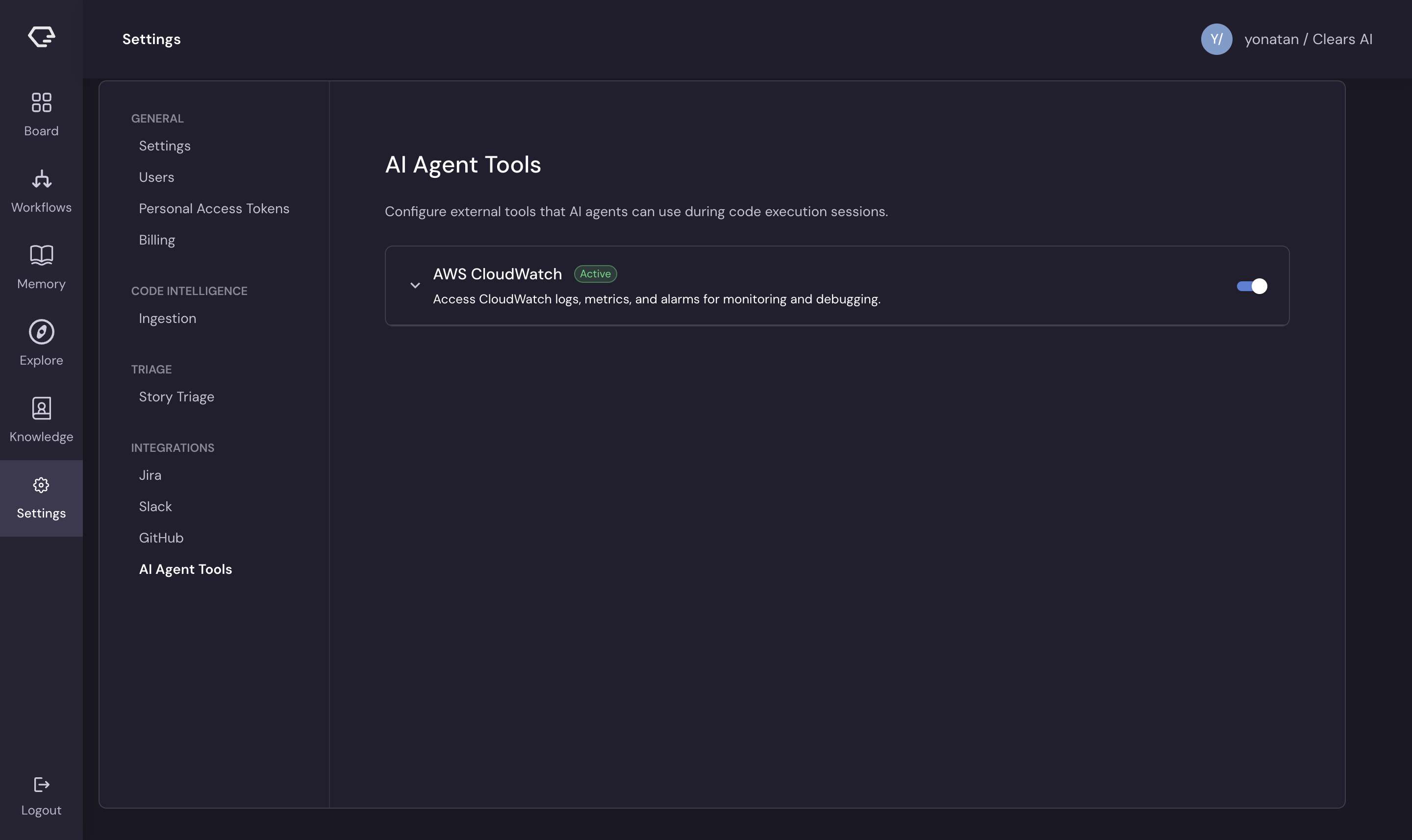
Browsing Available Tools
The AI Agent Tools page displays a card for each available MCP server. Each card shows:
- Server name and description - what the tool provides
- Status badge:
- Active (green) - credentials configured and tool enabled
- Configured (neutral) - credentials saved but tool disabled
- Not configured (blue) - no credentials saved yet
- Enable/Disable toggle - switch the tool on or off for AI agent use (only available after credentials are saved)
Configuring a Tool
- Click on a tool card to expand it
- Fill in the required credential fields (API keys, tokens, endpoints, etc.)
- Click Save Credentials
- The status badge updates to reflect the configured state
Credential fields vary by tool - some require API keys, others need endpoint URLs or access tokens. Each tool defines its own required fields.
Setup Instructions
Many tools display a Setup Instructions panel that provides:
- Step-by-step configuration guidance
- Required permissions or IAM policies
- Links to external documentation for the service
Follow these instructions to ensure the external service is properly configured to work with Clears AI.
Testing a Connection
After saving credentials, click Test Connection to verify that the tool can communicate with the external service. Results appear inline:
- Success - green confirmation message
- Error - red error message with details about what went wrong
Always test after initial setup or credential changes.
Enabling and Disabling Tools
Use the toggle switch on each tool card to enable or disable it:
- Enabled - the AI agent can invoke this tool during story execution
- Disabled - the tool is configured but the agent cannot use it
This lets you temporarily disable tools without removing their credentials.
Updating Credentials
For tools with existing credentials:
- Expand the tool card
- Scroll to the Update Credentials section
- Enter the new credential values
- Click Update
All credential fields must be filled - partial updates are not supported.
Removing a Tool
Click Remove to delete a tool's configuration entirely. This removes saved credentials and disables the tool.