GitHub Integration
Connect GitHub to enable the AI agent to create branches, push commits, and open pull requests in your repositories.
Integration settings are only visible to users with the Admin role. Regular users cannot access or modify integration configuration.
Connecting to Git
- Navigate to Settings → Integrations → GitHub
- Click Connect to Git
- A popup window opens to GitHub's App installation screen
- Select the organization or account to install the app on
- Choose which repositories to grant access to (all or specific repos)
- Confirm the installation
- The popup closes and the connection status updates
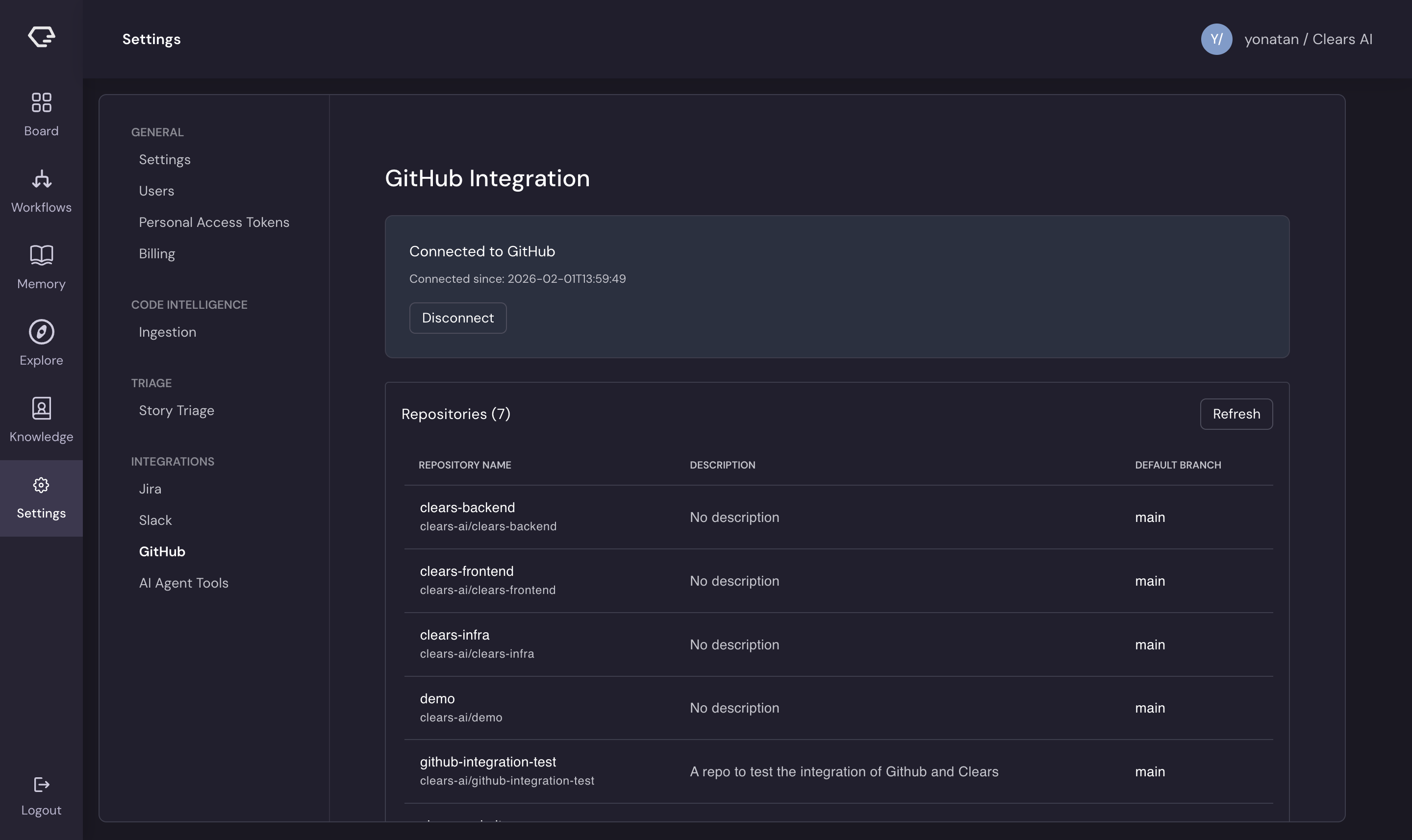
Once connected, a table displays all accessible repositories with their name, description, and default branch.
Execution Repositories
After connecting GitHub, select which repositories the AI agent can work in:
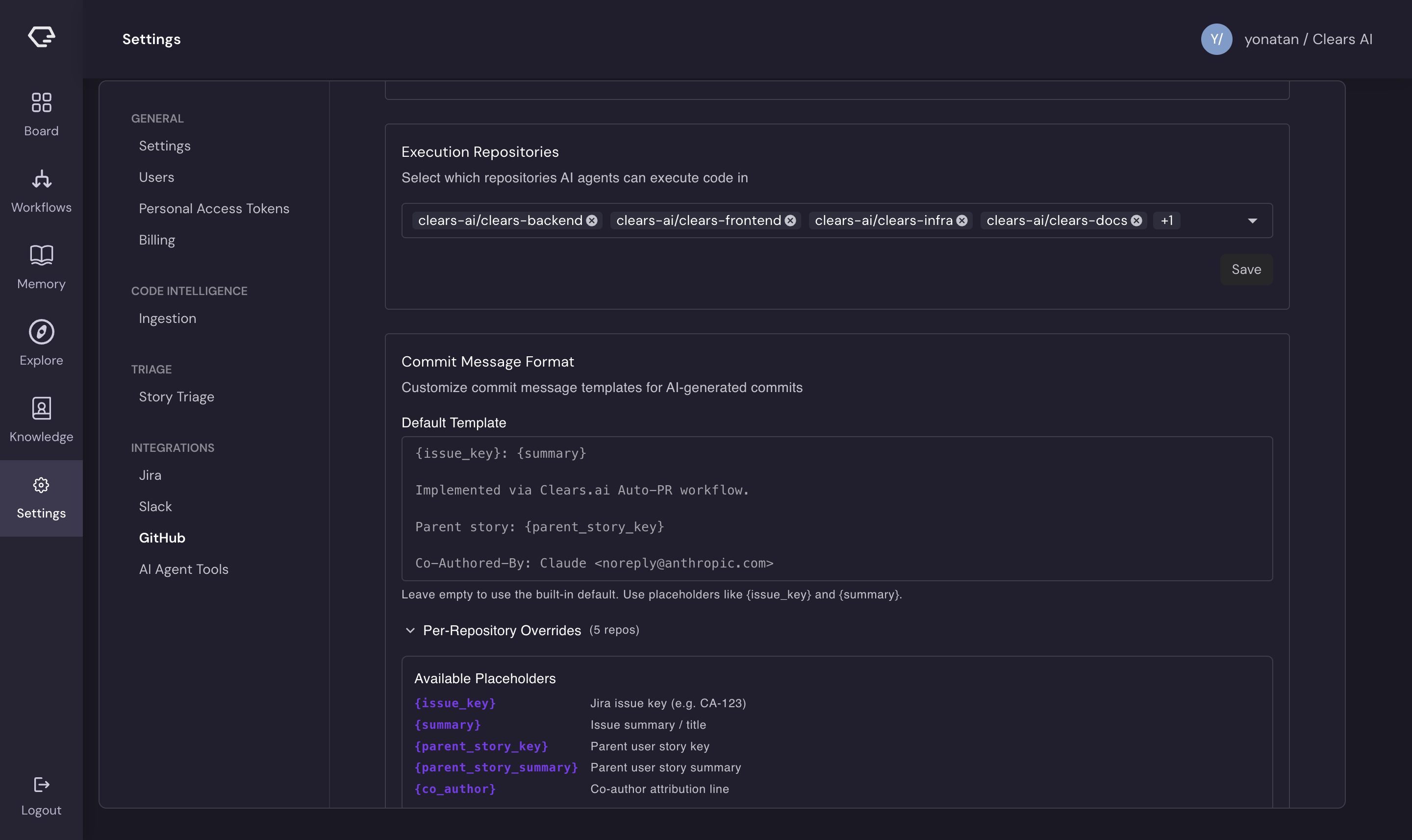
- Open the Execution Repositories section
- Use the multi-select dropdown to choose repositories
- Use Select All to quickly enable all available repos
- Click Save to apply changes
Only repositories selected here appear as options when creating stories on the Board. The AI agent cannot access repositories that are not selected as execution repos.
Click Refresh Repositories to reload the list from GitHub if you've recently granted the GitHub App access to new repos.
Commit Message Format
Customize the commit messages the AI agent creates when pushing code changes.
Default Template
Set a default commit message template that applies to all execution repositories. The template supports these placeholders:
| Placeholder | Replaced With |
|---|---|
{issue_key} | The Jira issue key (e.g., CA-123) |
{summary} | The issue summary/title |
{parent_story_key} | The parent user story key |
{parent_story_summary} | The parent user story summary |
{co_author} | Co-author attribution line |
Example template:
{issue_key}: {summary}

Implemented via Clears.ai Auto-PR workflow.

Parent story: {parent_story_key}

{co_author}
If left empty, a built-in default template is used.
Per-Repository Overrides
Expand the Per-Repository Overrides section to set custom commit message formats for specific repositories. Each execution repository can have its own template, overriding the default.
A live preview shows how the template renders with sample values, so you can verify the format before saving.
Webhook History
The webhook history section displays recent events received from GitHub:
- Event type - push, pull request, issue, release, branch creation, etc.
- Event details - commit count, PR title, branch names, and other specifics
- Author and repository - who triggered the event and in which repo
- Timestamp - when the event occurred
Disconnecting
Click Disconnect to revoke the connection. This removes Clears AI's access to your repositories.