AI-SDLC Overview
AI-SDLC (AI Software Development Lifecycle) is a methodology that reimagines how software gets built. Instead of developers manually analyzing requirements, writing code, and opening pull requests, AI agents handle the implementation lifecycle end-to-end, while humans define what to build and review the output.
Clears AI is the platform that makes AI-SDLC practical. It provides the infrastructure and application layer teams need to fully adopt this approach: automated workflows that move stories from requirements through code to pull requests, a memory system that captures codebase knowledge, and a focused workspace designed around autonomous development.
How AI-SDLC Changes Development
Traditional development requires a developer to manually analyze requirements, explore the codebase, write code, and open pull requests. With AI-SDLC, this entire pipeline is automated:
Traditional:  Story → Manual analysis → Manual coding → Manual PR → Review → Merge

AI-SDLC:      Story → AI analysis → AI Q&A → AI coding → Auto PR → Review → Merge
                        ↑                                              ↑
                  Fully automated                              Human checkpoint
The key difference: humans define the "what" and review the output, while the AI handles the "how." You still control the process through:
- Story descriptions that define what to build
- Q&A answers that clarify requirements during analysis
- PR reviews that validate the implementation before merging
- Fix requests that send feedback back to the AI for corrections
The Clears AI Platform
Clears AI delivers AI-SDLC through a focused workspace built around three core areas:
| Feature | Purpose |
|---|---|
| Board | Create and track AI-driven stories through a kanban or table view |
| Memory | View and manage the knowledge the AI accumulates from your codebase |
| Settings | Configure integrations (GitHub, GitLab, Bitbucket, Jira, Slack), API keys, and user access |
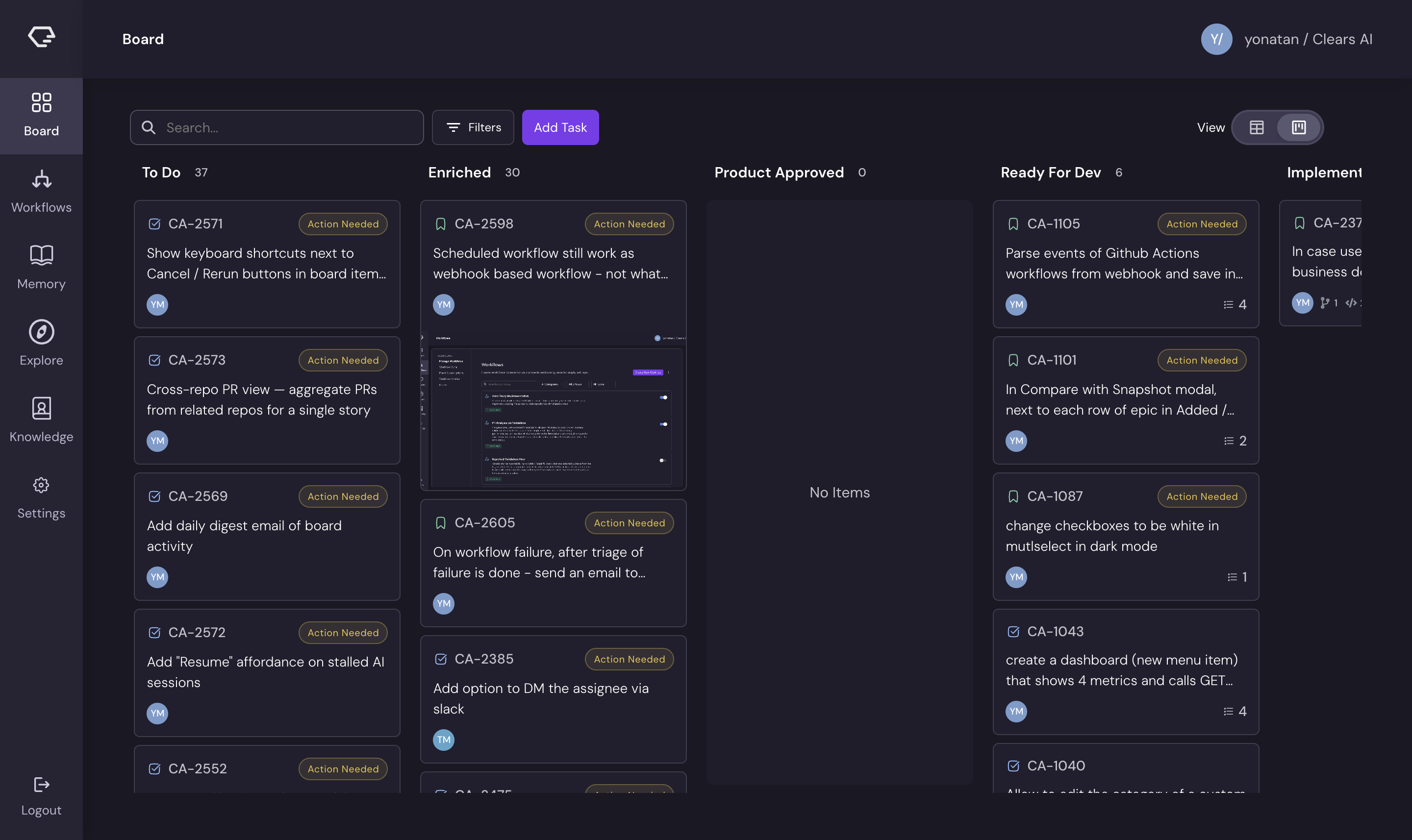
When you sign in, you land on the Board - the central hub where stories are created, monitored, and completed.
The Five Automated Workflows
Behind the scenes, five automated workflows power the execution pipeline. Each triggers at a specific point in the story lifecycle:
-
Story Analysis - When a story is created with the
autolabel in "To Do" status, the AI explores your codebase, generates clarifying questions, conducts Q&A with the reporter, and produces a structured specification (TL;DR, description, definition of done, files to change). The story then transitions to "Enriched." -
Product Approval Processing - When a story moves to "Product Approved," the AI performs subtask breakdown, analyzing the spec and decomposing it into implementable subtasks. Subtasks are created, the reporter is notified, and the story transitions to "Ready For Dev."
-
Story Implementation - When implementation is triggered, the AI picks up each subtask, writes code in your repositories, creates branches, and commits changes. Each subtask gets its own feature branch following the
{ISSUE_KEY}/{slug}naming pattern. -
PR Analysis - When a story enters "Validation" status, the AI pre-generates analysis for all open pull requests linked to the story, giving reviewers context before they dive into the code.
-
Validation Checks - Final checks run to verify the implementation meets the story's definition of done.
Platform Navigation
The left sidebar shows a focused set of navigation options:
- Board - Your primary workspace for managing stories
- Memory - View execution history and knowledge documents
- Settings - Configure integrations and account settings
The platform uses a dark theme by default, and the landing page always routes to the Board.
Some additional features (like custom workflows and a knowledge base) can be enabled through feature flags by your account administrator. This documentation covers the default platform experience.
Next Steps
- Learn how stories move through the pipeline in Story Lifecycle
- Understand how the AI gets smarter over time in Memory System
- Start using the platform with the Board