Memory
The Memory page lets you view and manage the knowledge your AI agent accumulates over time. As the agent executes stories, it captures patterns, conventions, architectural decisions, and lessons learned, all stored as structured memory that improves future executions.
For a conceptual overview of how memory works, see Memory System.
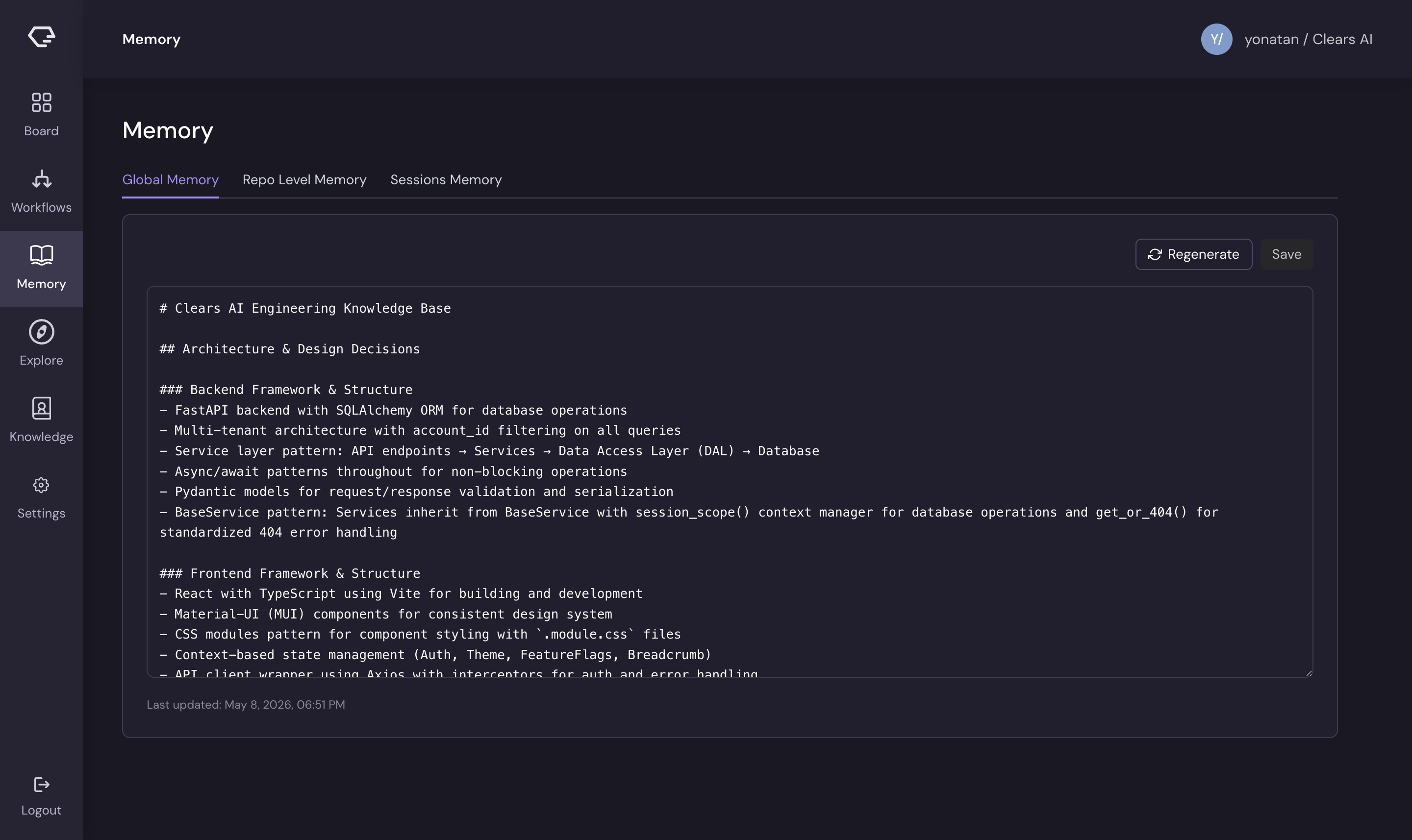
Memory Tiers
Memory is organized into three tiers, accessible via tabs on the Memory page:
Global Memory
Global memory contains knowledge that applies across all your repositories. This includes organizational standards, shared conventions, and cross-cutting patterns.
Editor features:
- Full Markdown editor for viewing and editing global memory content
- Changes are saved and applied to all future agent executions across every repository
- Use global memory for standards like coding style, PR conventions, or architectural principles that span projects
Repository Memory
Repository memory is scoped to a specific repository. Select a repository from the dropdown to view and edit its memory content.
Editor features:
- Full Markdown editor for viewing and editing repository-specific memory
- Each repository has its own independent memory store
- Repository memory captures patterns specific to that codebase - framework usage, directory structure, naming conventions, test patterns
Sessions
The Sessions tab shows a history of agent execution sessions. Each session represents one story execution and captures:
- Session summary - what the agent did during this execution
- Key decisions - architectural or implementation choices the agent made
- Lessons learned - what worked, what didn't, and what the agent would do differently
Session data feeds into the consolidation process that distills execution experience into repository and global memory.
Editing Memory
Both global and repository memory use a Markdown text editor. You can directly edit the content to:
- Add knowledge the agent should know - document conventions, preferred libraries, or architectural constraints
- Correct mistakes - if the agent learned something incorrectly, update or remove it
- Seed memory for new repositories - write foundational context before the agent's first execution so it starts with an understanding of your codebase
Pre-seeding repository memory with your project's architecture overview, key patterns, and conventions significantly improves the quality of the agent's first few executions.
Searching Memory
Text Search
Use the search bar to find specific content across memory. Text search matches against memory content using keyword matching.
Semantic Search
Semantic search finds conceptually related content, even when the exact words don't match. For example, searching for "error handling" might surface memory entries about exception patterns, retry logic, or logging conventions.
Semantic search is powered by vector embeddings of memory content, enabling the AI to find relevant context even when terminology varies.
Memory Backfill
When you first connect a repository, the AI can perform a memory backfill - analyzing the existing codebase to bootstrap repository memory with discovered patterns, conventions, and architecture details.
Backfill runs automatically during the first story execution for a new repository, but you can also trigger it manually from the Memory page. This is useful when you want the agent to have baseline knowledge before running any stories.
How the Agent Uses Memory
During story execution, the agent queries memory at several points:
- Codebase exploration - memory provides context about architecture and patterns, reducing redundant exploration
- Specification generation - memory informs the agent about conventions and constraints
- Implementation - memory guides code style, library choices, and testing patterns
- Learning - after execution, the agent writes new insights back to memory
The result is an agent that gets smarter with each execution, producing code that increasingly matches your team's standards and preferences.